Pixie Get Pixie ↗
The product

Small but
capable.

Everything Pixie does lives in one little companion: the notch, a round buddy at your cursor, and agents that work while you don't.

12 features · one companion · macOS, with Windows and Linux previews
01 / 12 · VOICE

Answers in your ear, not on your screen

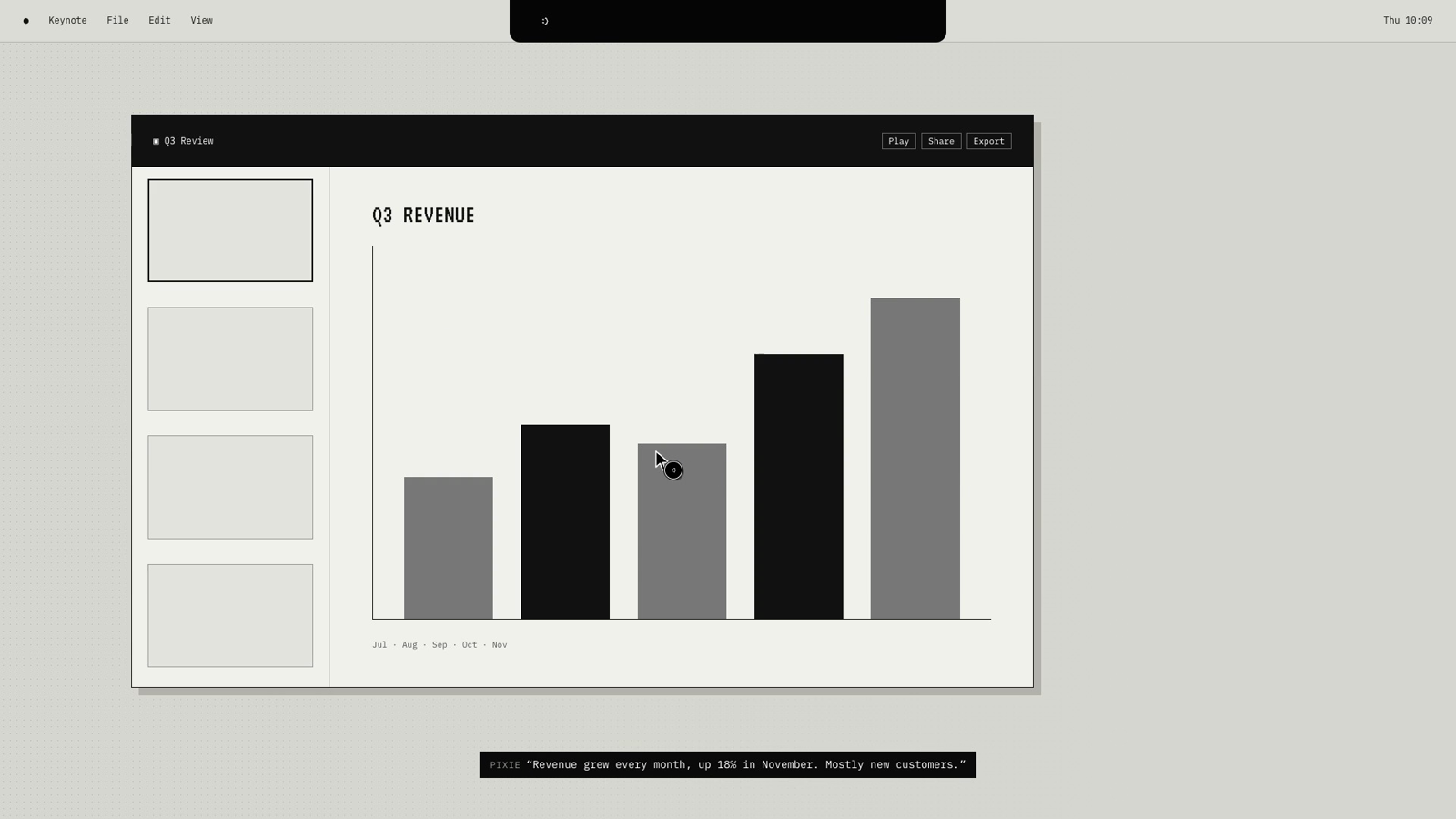
Hold the talk keys, ask, let go. Speech is recognised on your Mac and the answer is spoken back while the notch widens into two little ears. Nothing covers your work; the conversation waits in the notch's Chat tab.

  • Hold ⌃⌥ to talk, fn⌃ to dictate into any field; change both in Settings
  • On-device speech recognition
  • A natural voice that runs offline, or the system voice
Watch it in the demo →
Pixie answering out loud from the notch
Demo · ask
02 / 12 · BUDDY

A little round friend at your cursor

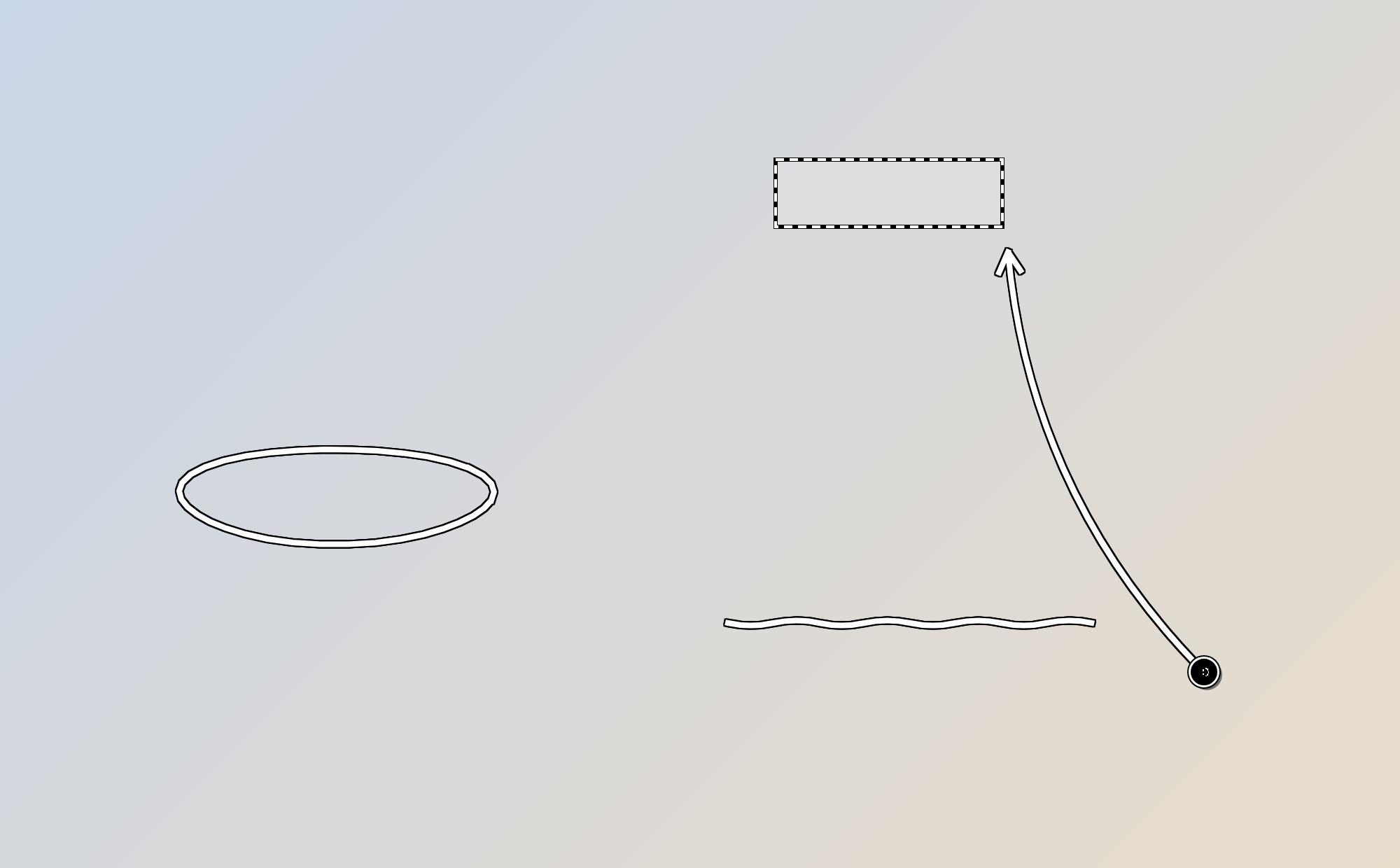
The pixel :) rides just off your pointer. When Pixie talks about something on screen, it flies to the exact control, found by name, and draws on it like a pencil.

  • Circles, boxes, underlines, arrows, ticks and see-through selections
  • Points at real controls and text, not guesses
  • Always on, idle (only while busy) or off; it explains what you hover in Pixie's own windows
Watch it in the demo →
In-app · buddy
In-app · buddy
03 / 12 · COMPUTER USE

Does it for you

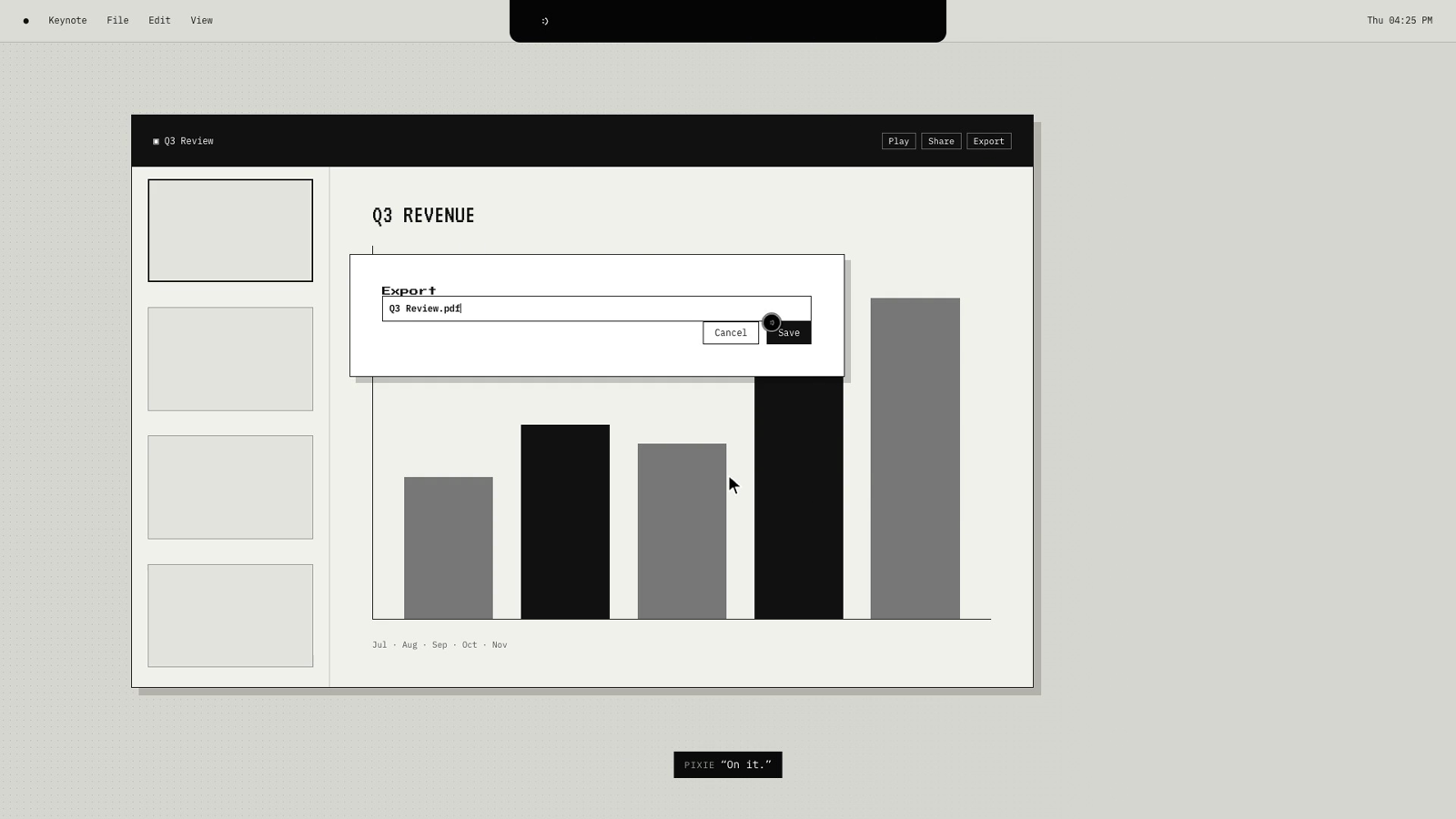
Say "do it" and Pixie clicks, types, uses menus, drags and copies to your clipboard, checking the screen after every step and asking before anything that sends, buys or deletes.

  • Click, double-click, right-click, drag, type, keys, menus
  • Clipboard: copies results for you, reads what you copied
  • Pointer-only mode if you'd rather click yourself
Watch it in the demo →
Pixie typing a file name into the Export dialog
Demo · do it
04 / 12 · CANVAS

Explains with a drawing you can keep

When a picture explains it better, Pixie draws it on a real Excalidraw canvas in its own window: boxes, arrows and text, or a Mermaid flowchart laid out for you. Move anything, rename it, export it, or ask Pixie to change it.

  • Draws on its own when it helps, often, or only when you ask (Settings → General → Drawing)
  • Open, list, read back, clear or delete canvases by asking
  • Save as .excalidraw, PNG or SVG to Downloads, never overwriting
  • Show Canvas in the menu bar; a click outside puts it away; deleted canvases go to the Trash
Watch it in the demo →

YouDraw how a git push works.

PixieEdit, add, commit, push: it's on the canvas.

YouAdd a box for pull requests.

PixieAdded under push.

05 / 12 · AGENTS

Hand off the long stuff

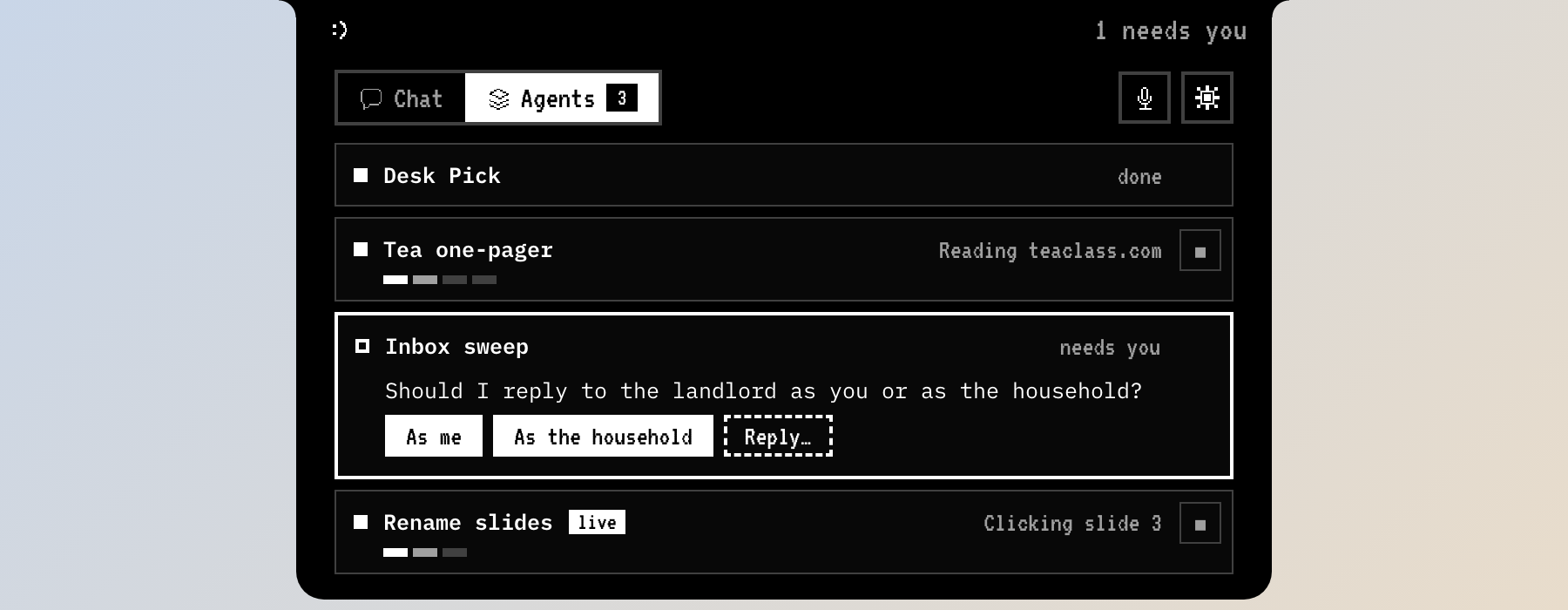
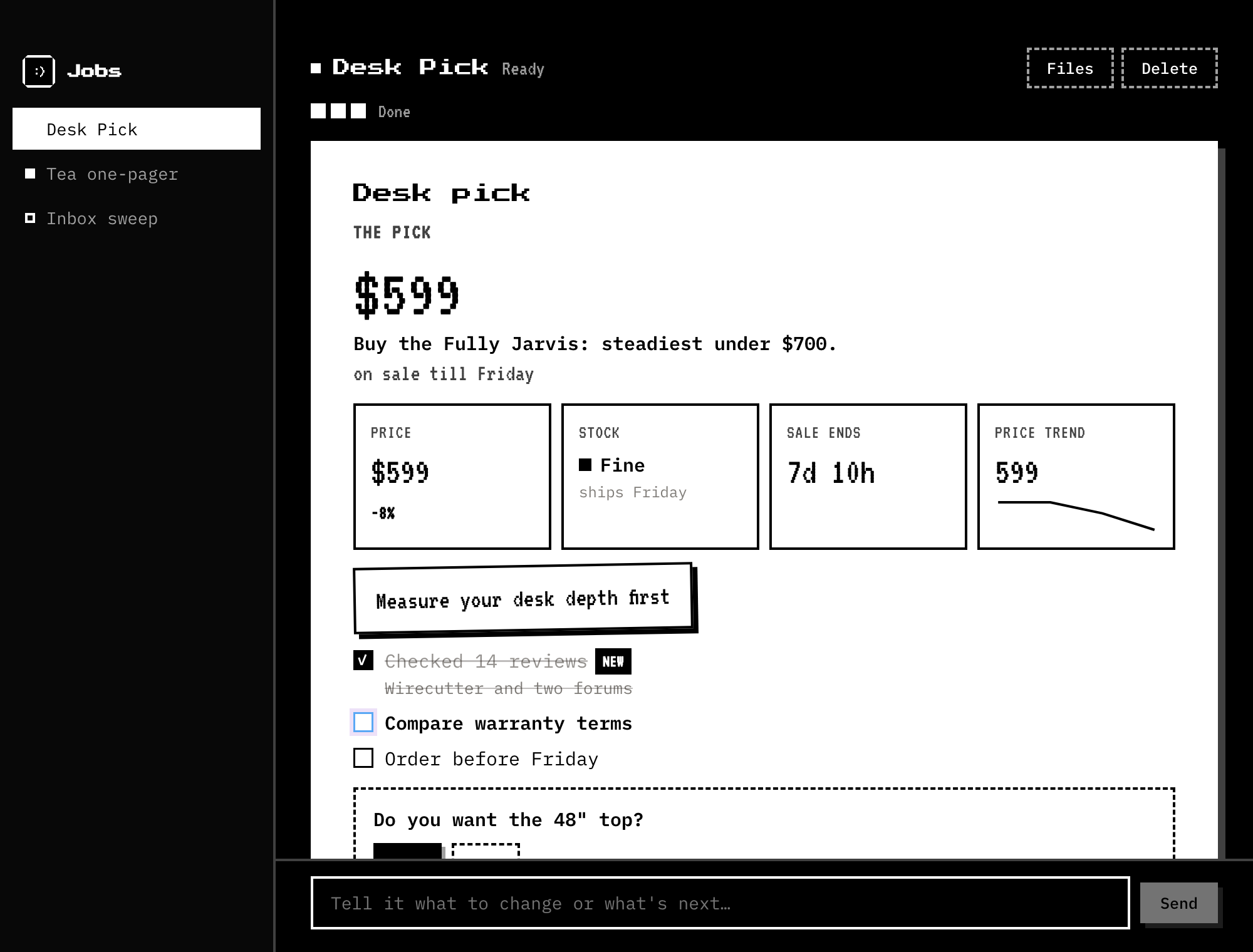
Background agents research, write and build on their own and keep a live note. Live agents do the task on your screen while explaining each step. Hover the notch to check on them.

  • Plans that tick off as they go; questions you answer in place
  • Live agents click and type in your apps; esc stops them
  • Never overwrite your files; secrets folders are blocked
Watch it in the demo →
In-app · agents
In-app · agents
06 / 12 · CODING

Bring your own coding agent

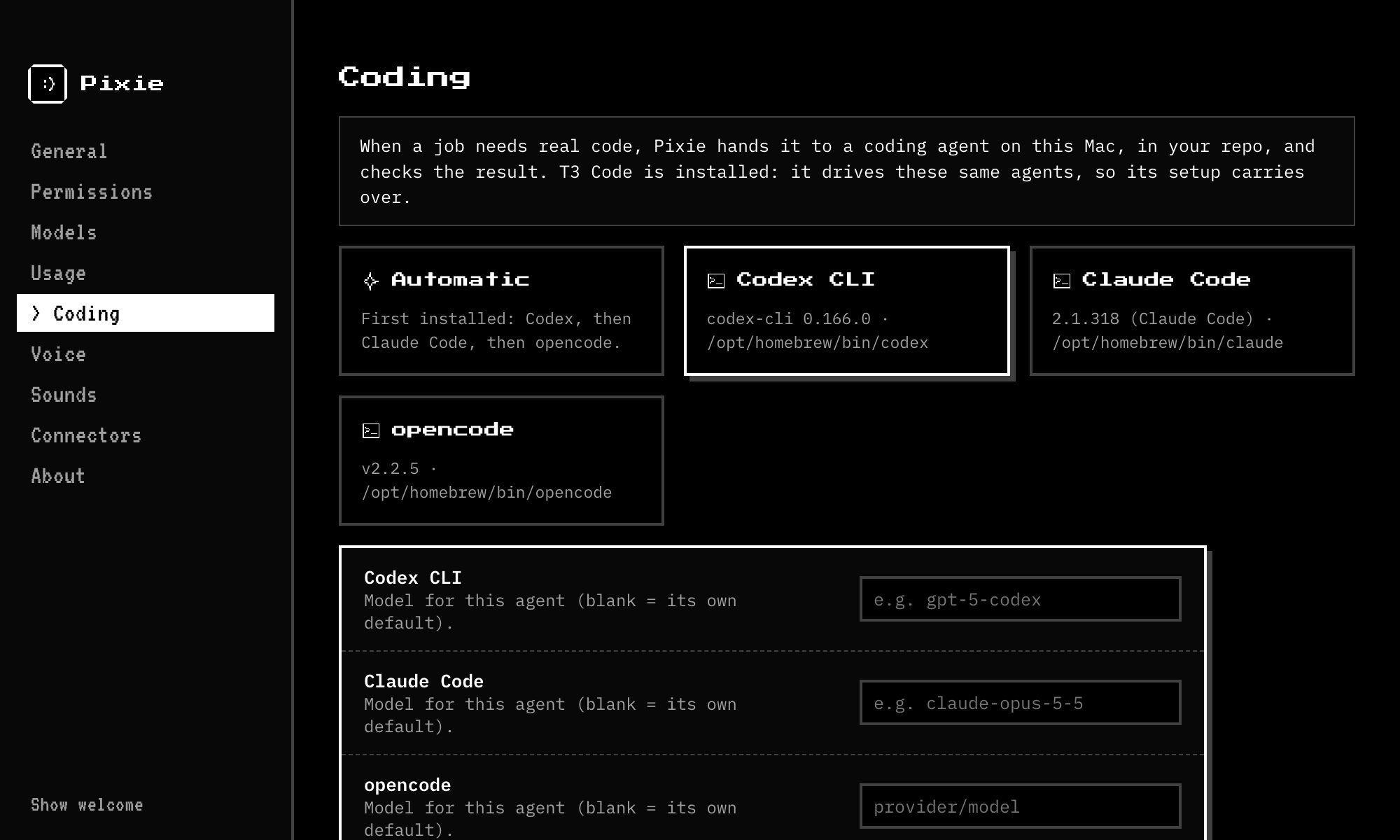
Code tasks go to the agent already on your Mac. Pick the agent, a model for each, and how much it may touch; Pixie runs it headless and reads you the result.

  • Codex CLI, Claude Code, opencode
  • Sandbox and permission modes you choose
  • A default working folder
In-app · coding
In-app · coding
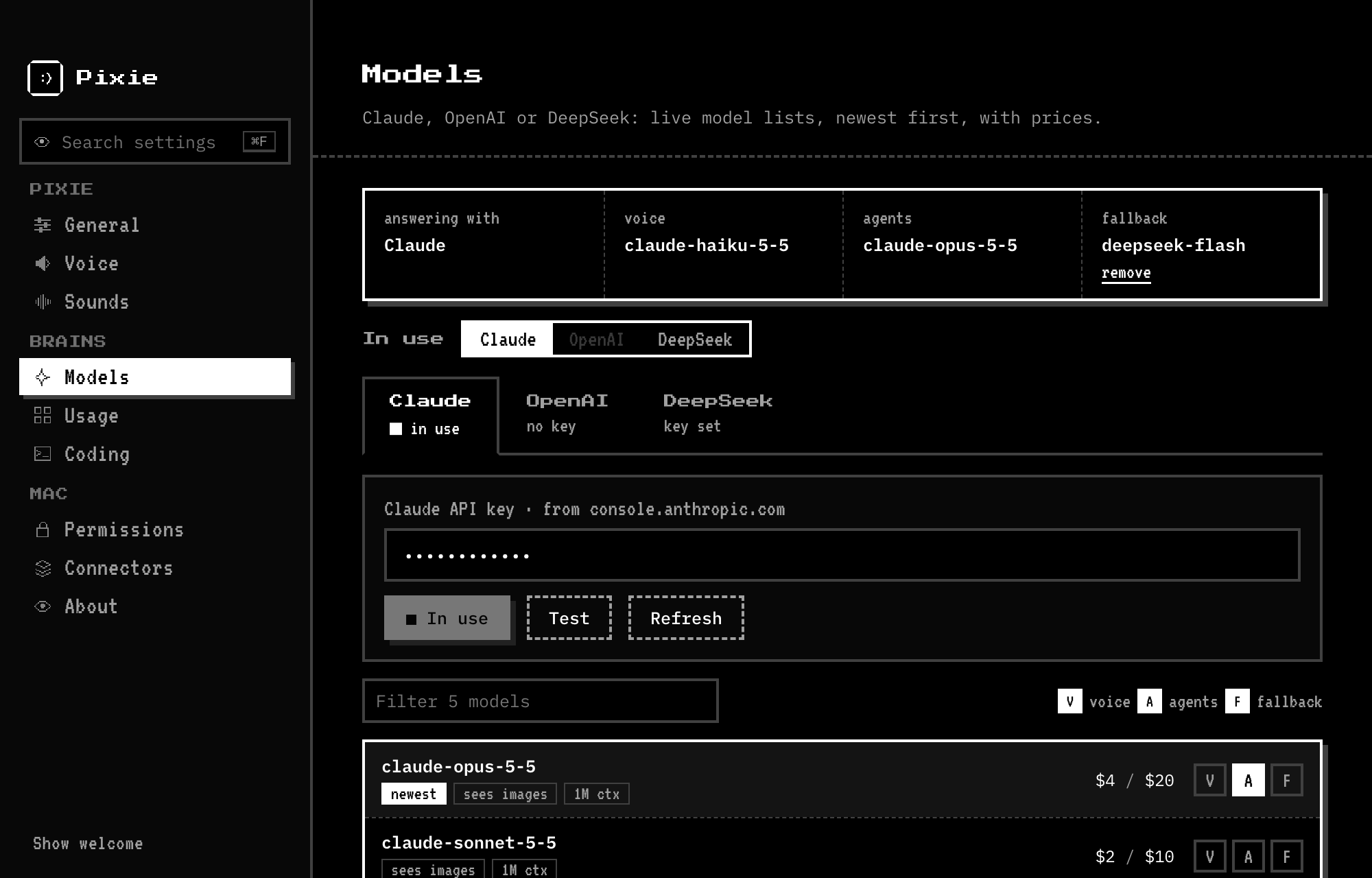
07 / 12 · MODELS

Claude, OpenAI or DeepSeek

Paste a key and pick from live model lists, newest first, with context size and price. Choose one model for talking, one for agents, and a fallback for when a provider has a bad day.

  • Official model lists straight from each provider
  • A fallback from any provider
  • Keys stay on your Mac
In-app · models
In-app · models
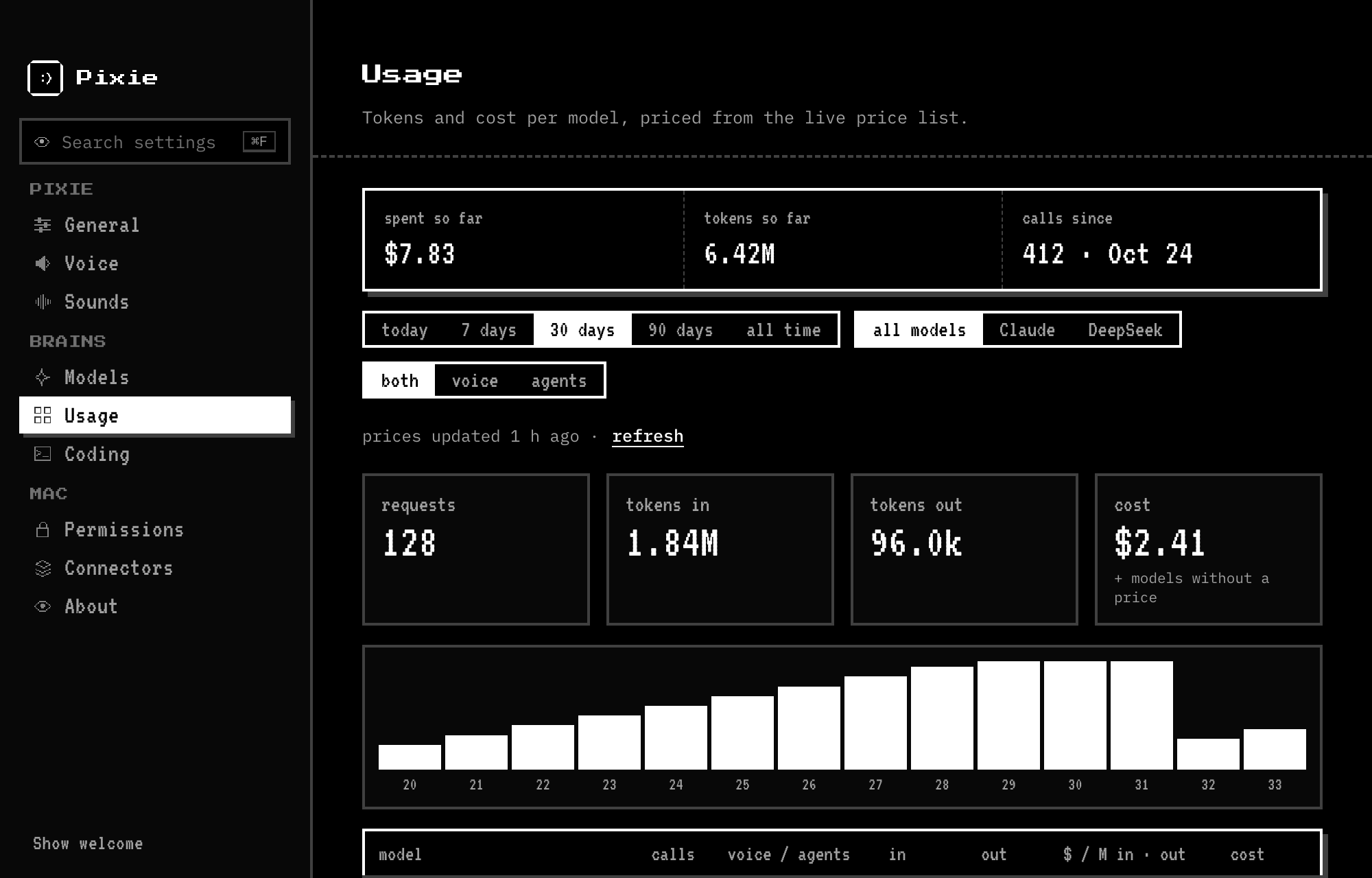
08 / 12 · USAGE

Know what it costs

Every call is counted on your Mac and priced from the public price list. See spend so far, per model and per day, filtered however you like.

  • Today, 7, 30, 90 days or all time
  • By provider, talking or agents
  • No telemetry: nothing leaves your Mac
In-app · usage
In-app · usage
09 / 12 · MEMORY

It remembers you

One conversation runs all day, even after quiet gaps or a restart, until you start a new chat or the day ends. Beyond today, Pixie keeps short notes about you: who you are, how you like answers, your people, projects and setup. They stay on your computer, and you can read, edit or delete every one.

  • Say "remember that…" or "forget…"; on Automatic it also learns from quiet chats
  • The most useful notes go with every question; it looks up the rest
  • A new chat each day at midnight, or the hour you pick
  • Passwords, keys and card numbers are never kept

YouRemember that my manager is Priya.

PixieGot it.

Next weekDraft a note to my manager…

PixieA draft to Priya, ready to look at.

10 / 12 · PERSONALITIES

Pick your Pixie

Four personalities, each with its own face in the notch and on the buddy. They change how replies sound, never the voice, what Pixie can do, or how careful it is.

  • Pix :) friendly and warm, the default
  • Inos 8) intelligent, nerdy, curious
  • Xtrem XD chaotic, witty, mischievous, with an optional Spicy switch
  • Eon ;) calm, concise, precise

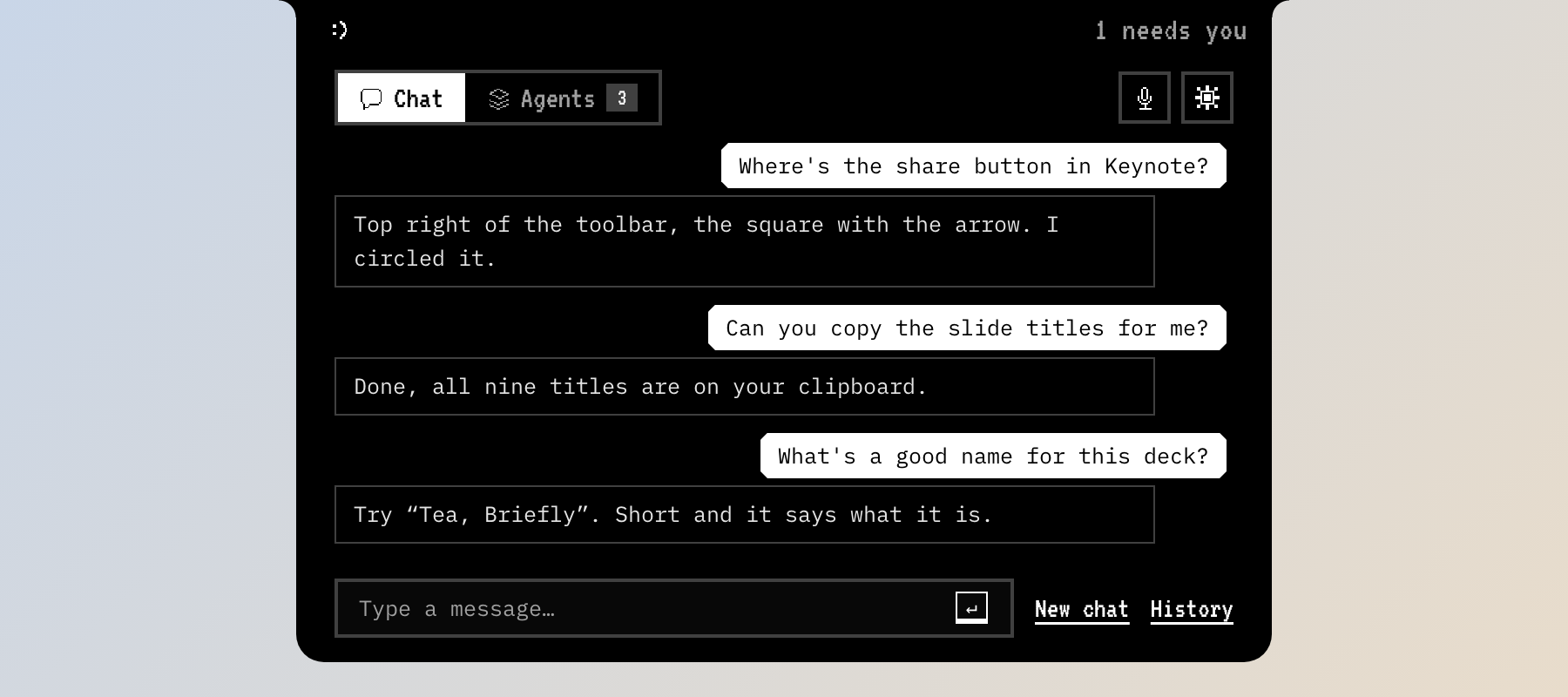
Pix :)Found it: the share button's top right. Want me to click it?

Inos 8)Share's top right: the square with the arrow, the standard share glyph on the Mac.

Xtrem XDTop right, hiding like it owes you money. Want me to grab it?

Eon ;)Top right.

11 / 12 · JUST SAY IT

Set Pixie up by asking

Pixie knows how it's set up right now, and changes its own settings in an instant: no hunting through windows. Ask what it can do, which model it's on or what your shortcut is, and tell it how you want it: "switch to Eon", "draw more", "talk slower".

  • Voice, speed, volume, shortcuts, model, buddy, clicking, memory, the canvas, apps and connectors
  • "Quit", "exit" or "close Pixie" quits; "stop working" stops every job
  • "Never mind" stops talking; "new chat" starts fresh
  • API keys, permissions and sign-ins stay with you, on the right page

YouTalk a bit faster and use the Emma voice.

PixieDone: Emma, a little quicker.

YouWhat's my dictation shortcut?

PixieHold fn and control.

12 / 12 · PLATFORMS

Mac first, Windows and Linux next

Pixie is made for the Mac, where everything works. The Windows and Linux previews share the same app, with native screen reading, clicking and speech on Windows. It updates itself from GitHub, checking the signature, and switches over when you're not using it.

  • macOS 14+, universal for Apple silicon and Intel
  • Windows 10/11 preview; Linux AppImage and .deb preview
  • Updates itself; Check now and Restart now in Settings → About
  • Light: about 215 MB idle; the natural voice loads only when needed
What works where →

MacEverything

WindowsMost of it, in preview

LinuxChat, agents, screen reading, clicks

Detailsgithub.com/s41r4j/pixie · CHECKLIST.md

Go from curious to using it.Free and open source · macOS 14+, Windows and Linux previews · bring your own key
Download Pixie ↗
The real app

Small presence.
Real utility.

Drag the strip, or use the arrows. Click any shot to see it full size.

The buddy circling, underlining and pointing
The buddy marks the screen 01
Hovering the notch: the Chat tab
Hover the notch: Chat 02
The Agents tab
Agents, background and live 03
A job's live note
A job's live note 04
Models settings
Models, newest first, with prices 05
Usage settings
What it costs, per model 06
Coding agents settings
Your coding agents 07
esc to close